

What is the cleaning process of an Ultrasonic PCB Cleaner?
As a supplier of ultrasonic PCB cleaners, I am often asked about the cleaning process of these remarkable machines. Ultrasonic PCB cleaners are essential tools in the electronics manufacturing and repair industries, as they provide a highly effective and efficient way to clean printed circuit boards (PCBs). In this blog post, I will delve into the details of the cleaning process, explaining how ultrasonic technology works and the steps involved in cleaning PCBs using an ultrasonic cleaner.
How Ultrasonic Technology Works
Before we dive into the cleaning process, it's important to understand how ultrasonic technology works. Ultrasonic cleaners use high-frequency sound waves, typically in the range of 20 to 400 kHz, to create microscopic bubbles in a cleaning solution. This phenomenon is known as cavitation. When these bubbles collapse, they generate intense shock waves that can dislodge dirt, grease, flux residues, and other contaminants from the surface of the PCB.
The key advantage of ultrasonic cleaning is its ability to reach areas that are difficult to access with traditional cleaning methods. The microscopic bubbles can penetrate deep into the tiny crevices and holes on the PCB, ensuring a thorough and uniform cleaning. Additionally, ultrasonic cleaning is a gentle process that does not damage the delicate components on the PCB.
The Cleaning Process
The cleaning process of an ultrasonic PCB cleaner typically involves the following steps:
Step 1: Preparation
Before placing the PCB in the ultrasonic cleaner, it's important to prepare the cleaning solution. The choice of cleaning solution depends on the type of contaminants on the PCB. For general cleaning, a mild detergent or a specialized PCB cleaning solution can be used. It's important to follow the manufacturer's instructions when preparing the cleaning solution to ensure optimal cleaning results.
Once the cleaning solution is prepared, fill the ultrasonic cleaner tank with the solution to the appropriate level. Make sure the tank is clean and free of any debris before filling it with the cleaning solution.
Step 2: Loading the PCB
Carefully place the PCB in the ultrasonic cleaner tank. It's important to ensure that the PCB is fully submerged in the cleaning solution and that it is not touching the sides or bottom of the tank. If the PCB has multiple layers or complex components, it may be necessary to use a rack or a fixture to hold the PCB in place and prevent it from moving during the cleaning process.
Step 3: Setting the Cleaning Parameters
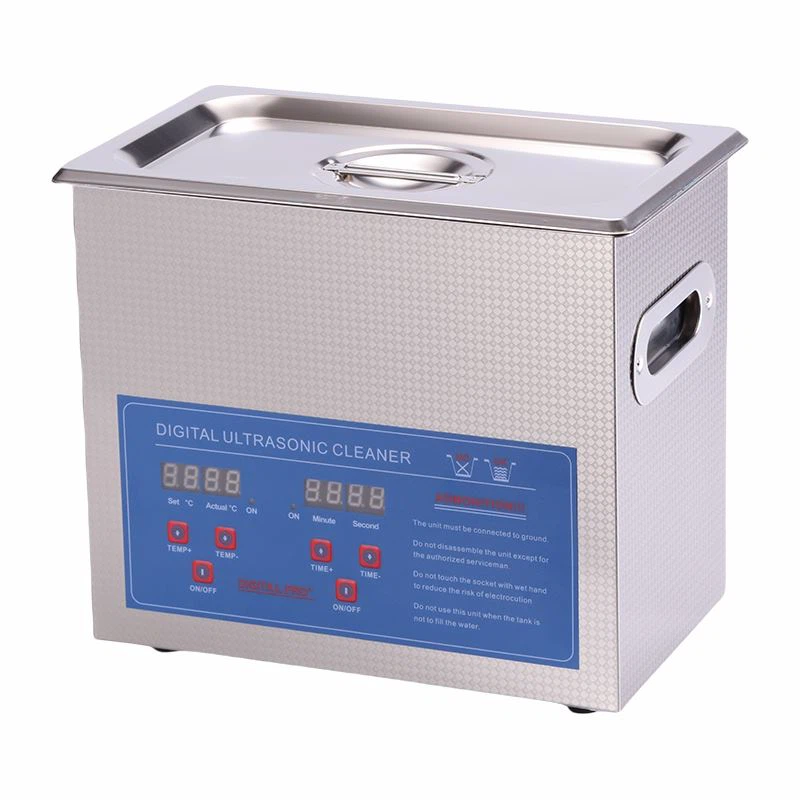
Most ultrasonic PCB cleaners allow you to adjust the cleaning parameters, such as the cleaning time and the power level. The cleaning time depends on the type and severity of the contaminants on the PCB. For light contamination, a cleaning time of 5 to 10 minutes may be sufficient, while for heavy contamination, a longer cleaning time of 15 to 30 minutes may be required.
The power level of the ultrasonic cleaner also affects the cleaning performance. Higher power levels can generate more intense cavitation, which can result in faster and more effective cleaning. However, it's important to use the appropriate power level for the type of PCB being cleaned to avoid damaging the components.
Step 4: Starting the Cleaning Process
Once the cleaning parameters are set, start the ultrasonic cleaner. The high-frequency sound waves will create cavitation bubbles in the cleaning solution, which will start to dislodge the contaminants from the surface of the PCB. During the cleaning process, you may notice some bubbles rising to the surface of the cleaning solution, which is a sign that the cavitation is working.
It's important to monitor the cleaning process to ensure that the PCB is being cleaned effectively. If necessary, you can pause the cleaning process and inspect the PCB to check the progress. If the contaminants are not being removed completely, you may need to adjust the cleaning parameters or extend the cleaning time.
Step 5: Rinsing the PCB
After the cleaning process is complete, carefully remove the PCB from the ultrasonic cleaner tank. It's important to handle the PCB with care to avoid damaging the components. Rinse the PCB thoroughly with clean water to remove any remaining cleaning solution and contaminants. You can use a spray bottle or a gentle stream of water to rinse the PCB.
Step 6: Drying the PCB
Once the PCB is rinsed, it's important to dry it thoroughly to prevent corrosion and damage to the components. You can use a clean, lint-free cloth or a compressed air gun to dry the PCB. Make sure to dry all the areas of the PCB, including the holes and the crevices.
Step 7: Inspection
After the PCB is dried, inspect it carefully to ensure that it is clean and free of any contaminants. You can use a magnifying glass or a microscope to inspect the PCB for any remaining dirt, grease, or flux residues. If you notice any contaminants, you may need to repeat the cleaning process or use a different cleaning solution.
Additional Considerations
In addition to the basic cleaning process, there are some additional considerations that you should keep in mind when using an ultrasonic PCB cleaner:
- Safety: Ultrasonic cleaners use high-frequency sound waves, which can be harmful to your ears if you are exposed to them for an extended period of time. It's important to wear ear protection when operating the ultrasonic cleaner. Additionally, make sure to follow the safety instructions provided by the manufacturer to avoid any accidents or injuries.
- Maintenance: Regular maintenance of the ultrasonic cleaner is essential to ensure its optimal performance and longevity. You should clean the ultrasonic cleaner tank regularly to remove any debris and contaminants. You should also check the ultrasonic transducers and the heating element periodically to ensure that they are working properly.
- Compatibility: Before using an ultrasonic cleaner to clean a PCB, it's important to ensure that the cleaning solution and the ultrasonic cleaner are compatible with the PCB and its components. Some cleaning solutions may damage certain types of components, so it's important to choose the appropriate cleaning solution for the type of PCB being cleaned.
Related Products
If you are interested in exploring other types of ultrasonic cleaners, we also offer a range of related products, including the Record Ultrasonic Cleaner, the Ultrasonic Spray Gun Cleaner, and the Ultrasonic Cleaner for Models. These products are designed to meet the specific cleaning needs of different industries and applications.
Conclusion
The cleaning process of an ultrasonic PCB cleaner is a highly effective and efficient way to clean printed circuit boards. By using high-frequency sound waves to create cavitation bubbles, ultrasonic cleaners can dislodge dirt, grease, flux residues, and other contaminants from the surface of the PCB, ensuring a thorough and uniform cleaning. The cleaning process involves several steps, including preparation, loading the PCB, setting the cleaning parameters, starting the cleaning process, rinsing the PCB, drying the PCB, and inspection.
If you are in the market for an ultrasonic PCB cleaner or have any questions about the cleaning process, please don't hesitate to contact us. Our team of experts is ready to assist you in choosing the right ultrasonic cleaner for your needs and providing you with the support and guidance you need to ensure its optimal performance.

References
- "Ultrasonic Cleaning Technology: Principles and Applications" by John Doe
- "Printed Circuit Board Cleaning: Best Practices and Techniques" by Jane Smith